

Ask the AI SEO Manager about your site
Updated
Quick answer
AI SEO Manager is a chat that answers questions about one website using only that site's stored data: the latest audit, Search Console, saved keywords, rank tracking, PageSpeed and your website settings. Each answer lists the sources it used and suggests follow-up questions.
- Where
- Website menu → Autopilot → AI SEO Manager
- Cost
- 2 AI credits per answer (refunded if the AI call fails)
On this page
How to do it
- 1
Open AI SEO Manager
Choose the website, then AI SEO Manager under Autopilot.
- 2
Ask a question
Type your own question or pick a suggestion such as What should I fix first this week?
- 3
Check the sources
Each answer shows which data it used. Missing data is named, with a link to connect it in the What it can see panel.
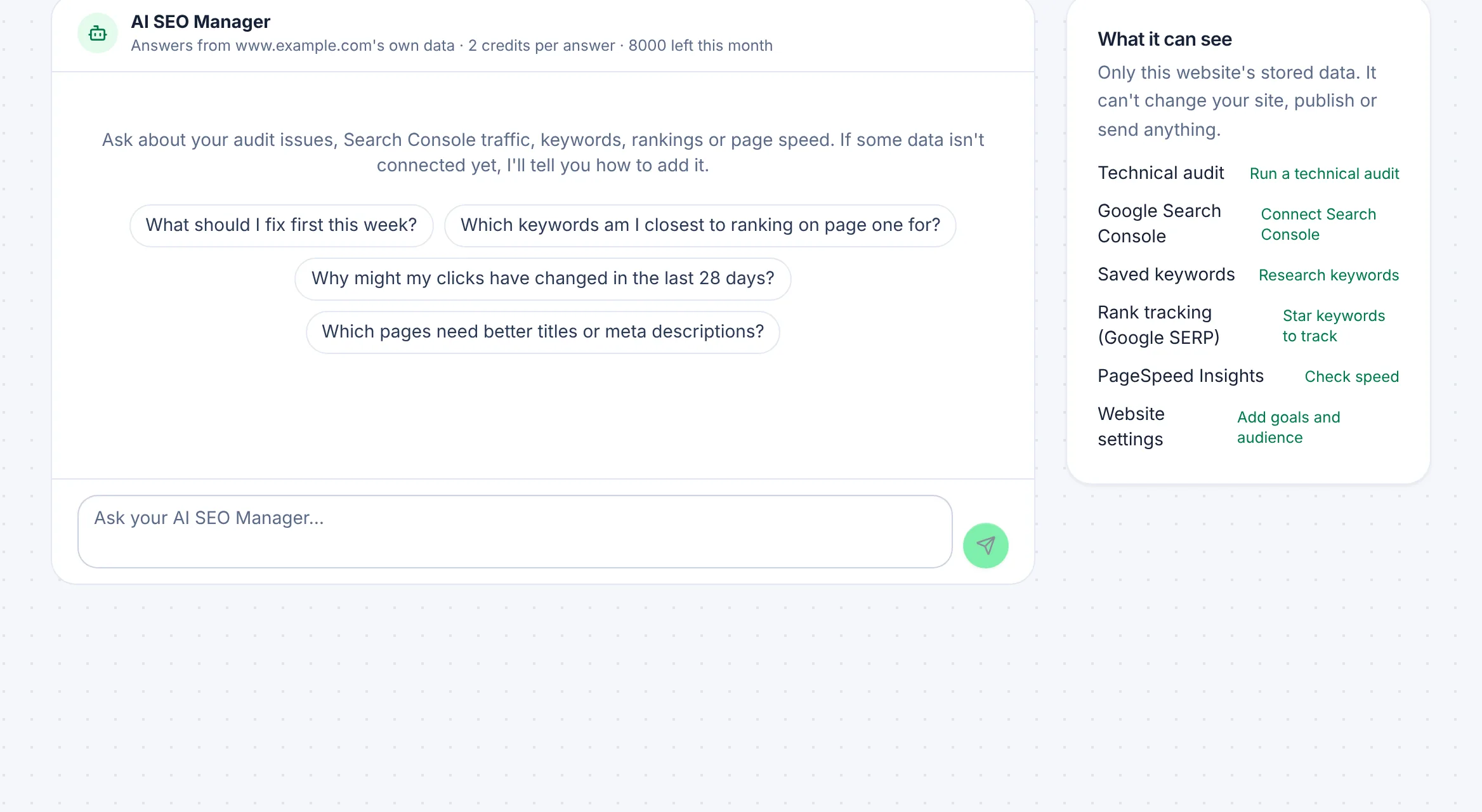
- 1Suggested questions to start with.
- 2Ask anything about this site. 2 AI credits per answer.
- 3The data sources it can read, with a link to connect each missing one.
Screenshot from the Sonnetpilot app (a new workspace, before any data was collected). Open full size
The chat can't change your site, publish or send anything. The last six turns are sent as context. Owners, admins and members can ask; viewers can read.
Frequently asked questions
Can the AI SEO Manager see my whole website?
It sees what Sonnetpilot has stored for the site: audit findings with example pages, crawled titles and word counts, Search Console, keywords, rankings, PageSpeed and your settings.
Why does it say data is missing?
That source isn't connected or hasn't run yet. Use the link in What it can see to connect it.
Related guides
- Turn a goal into an SEO planWrite a goal and a time frame and Sonnetpilot builds a phased SEO plan from your own audit, search, ranking and backlink data.
- How Sonnetpilot labels dataSources, freshness and the difference between measured data, provider estimates and AI estimates in Sonnetpilot.
- Plans, AI credits and billingHow Sonnetpilot plans, monthly AI credits, credit packs, usage limits, invoices and refunds work.
Something unclear or out of date? Tell us and we'll fix the guide.