

Choose your email notifications
Updated
Quick answer
Open Your Account and scroll to Email notifications. Turn emails on or off for changes waiting for approval and changes that need attention, choose how often to hear about changes that went live (as they happen, daily, weekly or off), and turn getting-started tips on or off. Each setting saves right away.
- Where
- Account menu → Your Account → Email notifications
How to do it
- 1
Open Your Account
Click your avatar, then Your Account, or go to /app/account#notifications.
- 2
Choose emails
Changes waiting for approval, and changes that need attention (a change failed or the live page doesn't show it; at most one email an hour).
- 3
Choose a summary
As they happen, Daily summary, Weekly summary or Off.
- 4
Getting-started tips
Up to 4 emails in your first two weeks, each with your next step. Turn them off with the Getting-started tips switch.
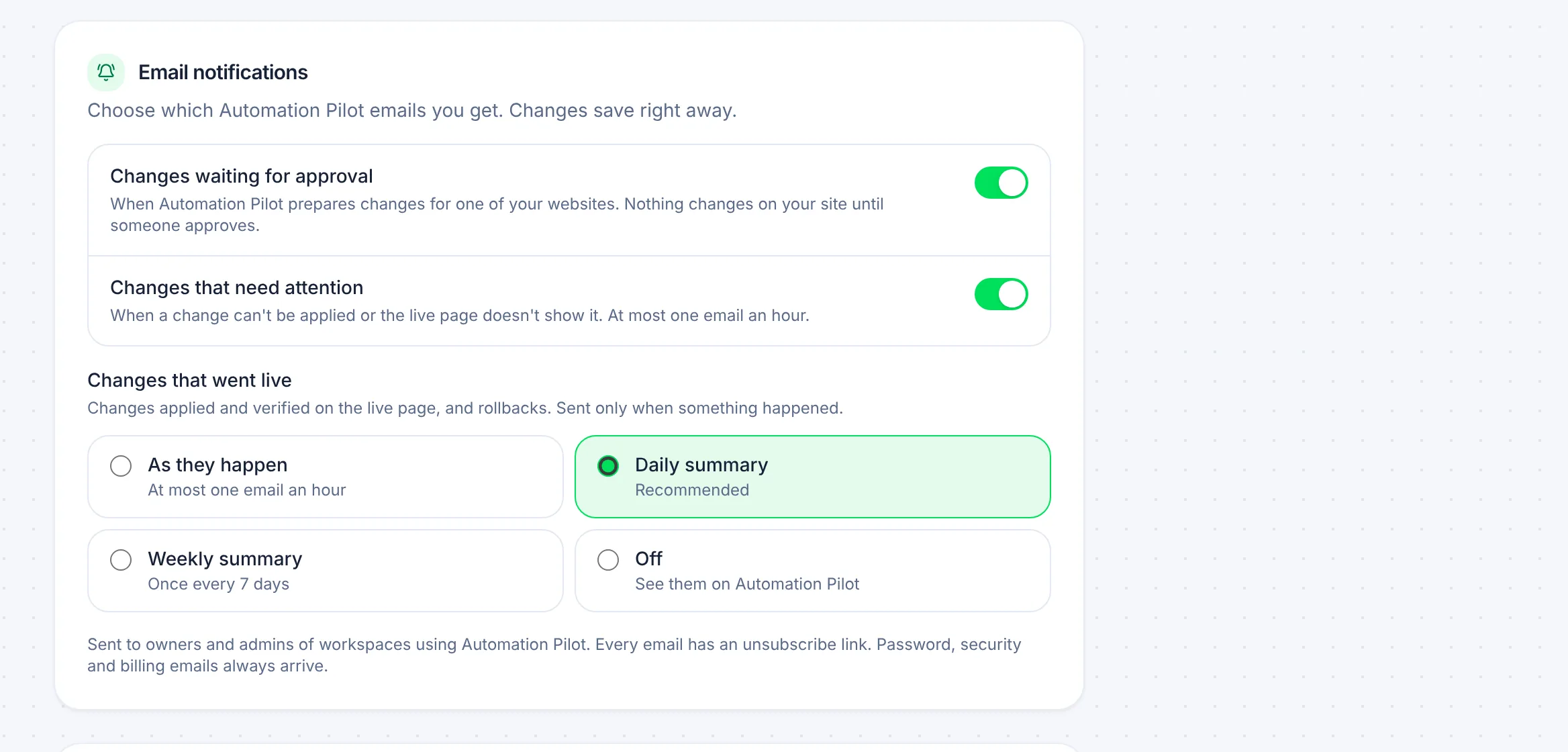
- 1Email when changes wait for your approval.
- 2Email when a change fails or isn't visible on the live page.
- 3How often to hear about changes that went live.
Screenshot from the Sonnetpilot app (a new workspace, before any data was collected). Open full size
Automation Pilot emails go to workspace owners and admins. Every email has an unsubscribe link and one-click unsubscribe headers for mail apps. Nothing is sent when nothing happened.
Getting-started tips
In your first two weeks you get up to 5 short emails, at most one a day. Each one is written from your own site: add and verify your website, your top fixes from your first audit, your AI search readiness results, then connecting Search Console or making an SEO plan. On day 10, if you're still on the free plan, one email shows how your own usage fits it. Steps you've already done are skipped.
Frequently asked questions
Why didn't I get a daily summary?
Summaries are only sent when changes went live or were rolled back in that period.
Can I stop the getting-started emails?
Yes. Use the unsubscribe link in any of them, or turn off Getting-started tips under Email notifications. They stop by themselves after two weeks.
Related guides
- Approve, verify and roll back changesHow a Sonnetpilot change request moves from proposal to QA check, approval, apply and live verification, and how to undo it.
- Weekly, monthly and white-label SEO reportsSchedule weekly or monthly SEO report emails, print a before and after PDF, and put your agency's brand on reports.
Something unclear or out of date? Tell us and we'll fix the guide.