

Research keywords and track Google rankings
Updated
Quick answer
On Keywords, type a seed keyword or topic, choose the country and language, and press Find keyword ideas to get related searches with monthly volume, cost per click and difficulty. Star saved keywords to track their Google position, then open any keyword for its history and a Page one push checklist.
- Where
- Website menu → SEO → Keywords
On this page
How to do it
- 1
Research
Enter a seed keyword or topic, pick country and language, press Find keyword ideas. Results are saved to the website's list.
- 2
Track
Star up to 50 saved keywords per website. Choose desktop or mobile and daily, weekly or monthly checks.
- 3
Group into topics
Ask the AI to group saved keywords into topic clusters (10 AI credits). It only sorts saved keywords; it never invents new ones.
- 4
Map keywords to pages
The keyword-to-page map shows each keyword's ranking page or best match, and flags topics with no page as content gaps.
- 5
Push to page one
Open a keyword to see its rank history and the Page one push checklist.
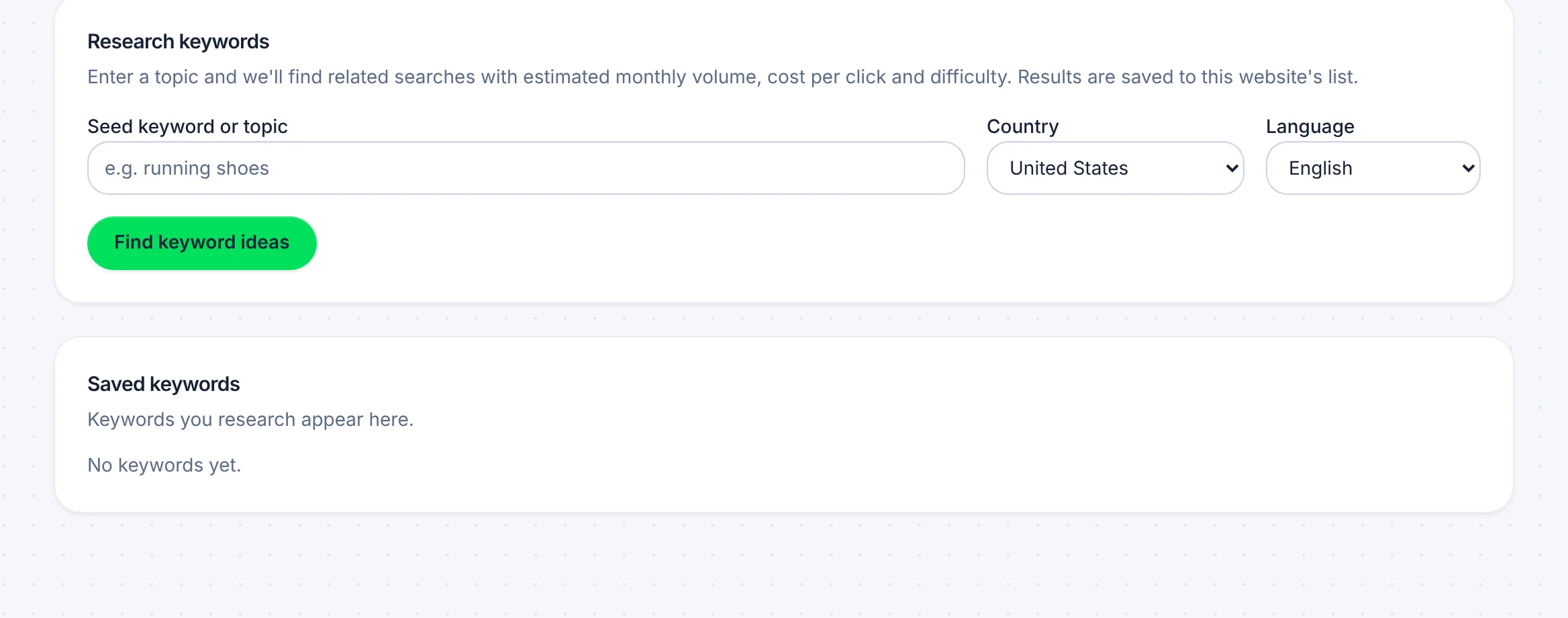
- 1Type a topic or a keyword.
- 2Choose the market and language.
- 3Finds related searches with volume, CPC and difficulty.
- 4Saved keywords. Star one to track its Google position.
Screenshot from the Sonnetpilot app (a new workspace, before any data was collected). Open full size
The Page one push checklist
Every keyword page opens with a checklist of seven things that help that keyword reach page one. It uses only data Sonnetpilot already measured, so it costs no AI credits.
- Your current and best Google position.
- Which of your pages should rank, and whether several pages compete for it.
- Whether the keyword is in that page's title, H1 and description.
- Whether the page can be indexed and has enough content.
- High or medium audit issues on that page.
- A content brief built from the live top results.
- Related pages that don't link to it yet, and sites ranking above you to compare backlinks with.
A step without data tells you what to run first.
How rank tracking works
Sonnetpilot checks live Google results (top 100) for your tracked keywords and records the ranking page and competitor positions from the same results page. The rank tracker shows Top 3/10/20/100 distribution and improved, declined, new and lost keywords over 7, 30 and 90 days. Each plan has a monthly limit on live rank checks, shown on Billing.
New to rank tracking? Our guide on how to track keyword rankings explains the free and paid ways, how often to check and how to read a keyword ranking report.
Frequently asked questions
How many keywords can I track in Sonnetpilot?
Up to 50 starred keywords per website, within your plan's monthly live rank-check limit.
How often are rankings checked?
Daily, weekly or monthly per keyword, on desktop or mobile. You can also press Check rankings now.
Where does keyword volume come from?
From a keyword data provider. Different providers estimate differently, so the numbers are labelled as estimates.
Related guides
- Create content briefs, AI drafts and on-page fixesPlan pages that can beat Google's current top 10, draft articles in your brand voice, and fix flagged titles, descriptions and H1s.
- Find competitors and keyword gapsDiscover which sites compete with you on Google and which keywords they rank for where you don't, then save the best ones.
- Fix audit issues and find search opportunitiesUse Sonnetpilot's Technical SEO page to prepare one-click fixes for audit findings and act on search opportunities from your own data.
Something unclear or out of date? Tell us and we'll fix the guide.