

Keep your local business details consistent
Updated
Quick answer
On Local SEO, enter your business name, address and phone (NAP) exactly as you want them shown and press Save business details. Sonnetpilot compares them with your homepage, contact, about and location pages and your Google Maps listing, lists mismatches by source, and lets you track your status on common directories.
- Where
- Website menu → SEO → Local SEO
On this page
How to do it
- 1
Enter your NAP
Business name, phone, street address and city (the city is used to find your Google listing).
- 2
Save
Press Save business details. Sonnetpilot scans your site for LocalBusiness schema, tel: links and address blocks.
- 3
Review the listing
See your Google Maps listing's address, phone, category, rating, reviews, claimed status and website, and any mismatches.
- 4
Track directories
Add common directories for your market, such as Google Business Profile, Bing Places, Apple Business Connect, Facebook, Yelp and Foursquare, and set each one's status.
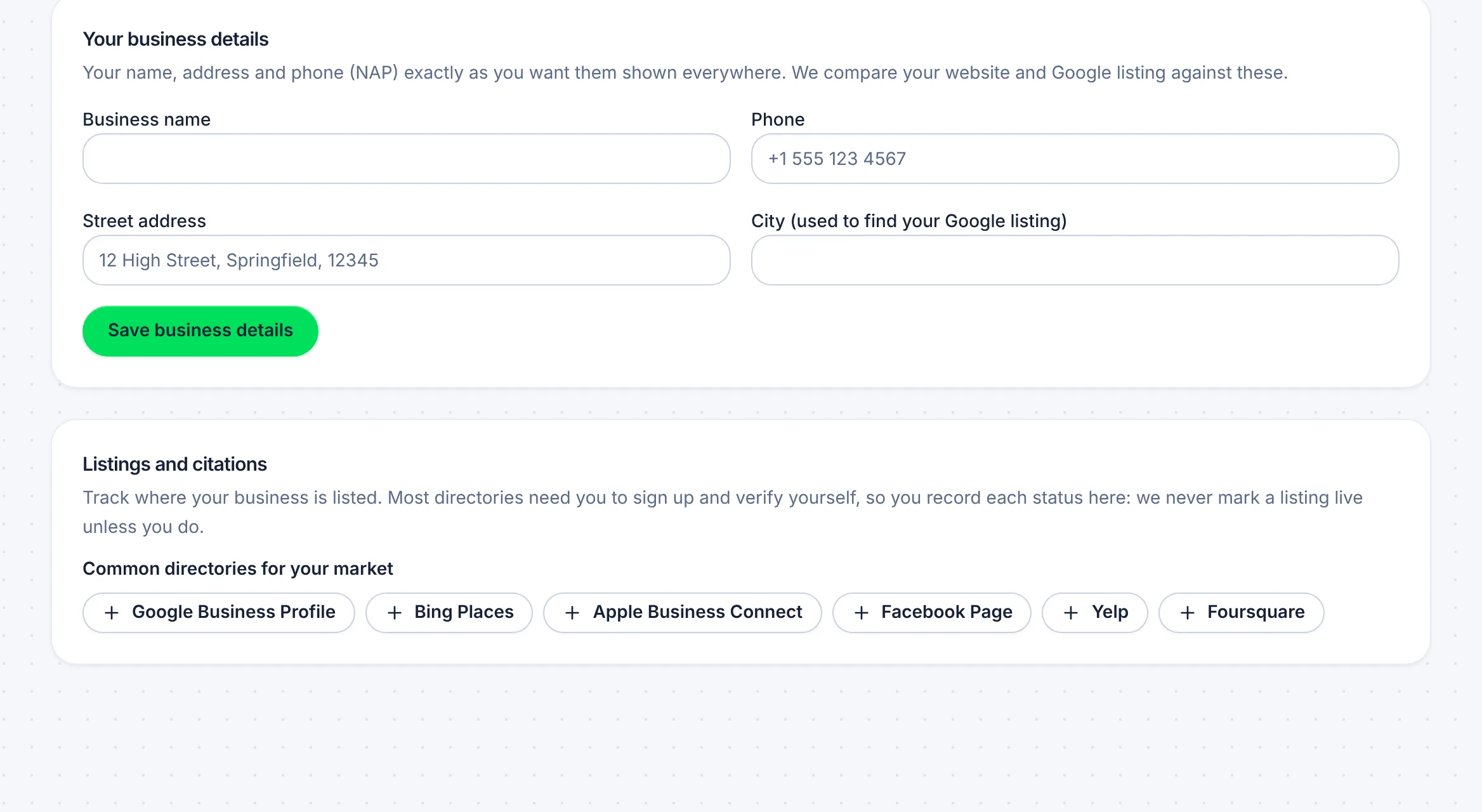
- 1Your name, address and phone exactly as you want them shown.
- 2Used to find your Google Maps listing.
- 3Saves and compares them with your site and listing.
- 4Common directories for your market. Track each one's status.
Screenshot from the Sonnetpilot app (a new workspace, before any data was collected). Open full size
Directory statuses are To do, Submitted, Pending, Rejected and Verified. Most directories need you to sign up and verify yourself, so you record each status; Sonnetpilot never marks a listing live unless you do.
Frequently asked questions
What is NAP consistency?
Showing your business name, address and phone number the same way on your website, Google listing and directories. Inconsistent details can confuse customers and search engines.
Can Sonnetpilot manage my Google Business Profile?
Not yet. It can look up your listing and compare it, but you edit the profile in Google.
Related guides
- Get your site ready for AI search (GEO and AEO)Run Sonnetpilot's free GEO and AEO check to see how clearly answer engines, AI search and Google AI Overviews can quote and cite your site, and fix it with copy-ready snippets.
- Website settings: goals, audience and brand voiceTell Sonnetpilot your markets, SEO goals, audience, brand voice and competitors so audits, plans and AI drafts fit your business.
Something unclear or out of date? Tell us and we'll fix the guide.