

Run tasks on many websites at once
Updated
Quick answer
Open Bulk Tasks, choose a task (run an audit, turn weekly or monthly audits on or off, prepare title and description fixes, or email the report now), select up to 50 websites across every workspace where you can manage websites, and run it. Each site goes through its normal permission checks and reports its own result.
- Where
- Side menu → Bulk Tasks
On this page
How to do it
- 1
Choose the task
Pick it from the Task list.
- 2
Select websites
Tick sites in each workspace, use Select all in a workspace, or Select all verified.
- 3
Run
Press Run on N websites. Each site shows its own result.
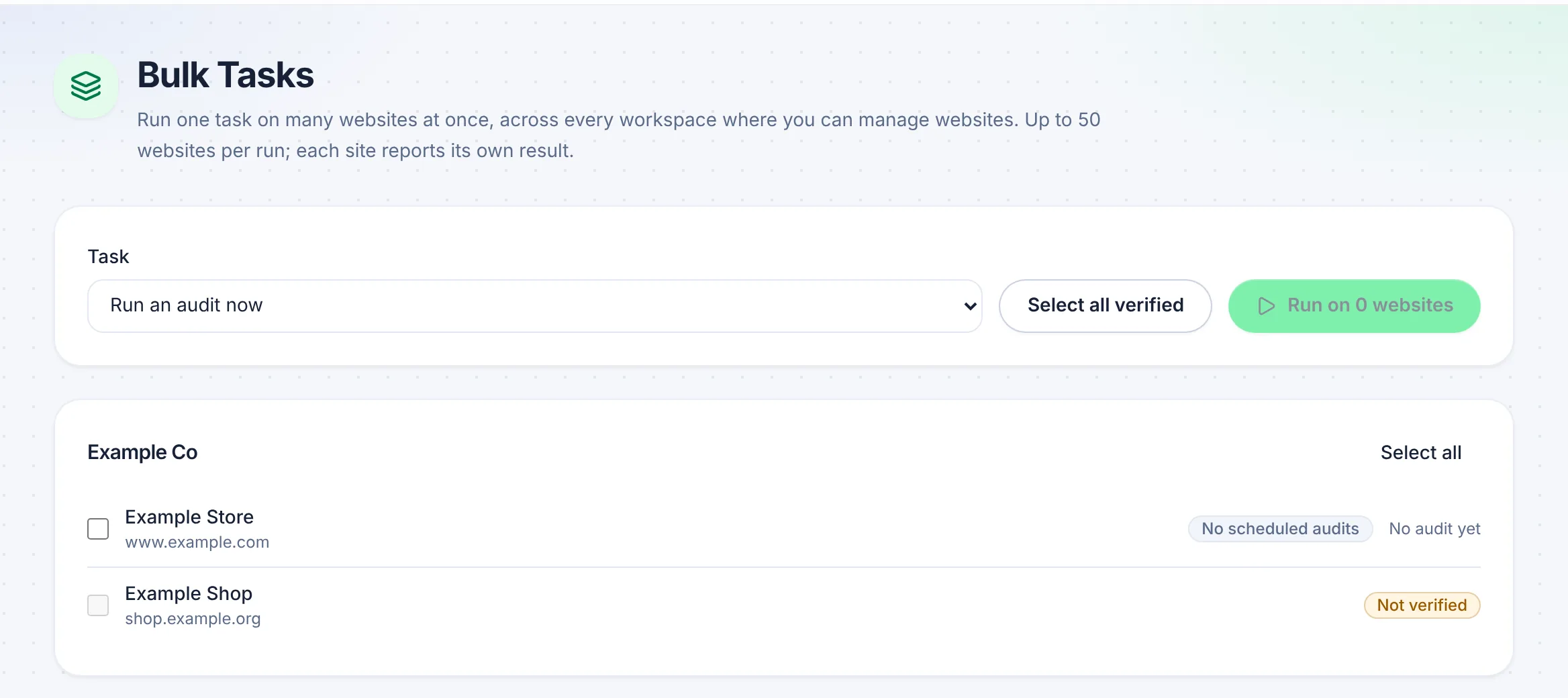
- 1Choose a task: audit, schedule audits, prepare fixes, or email the report.
- 2Select websites across every workspace you manage (up to 50).
- 3Websites are grouped by workspace.
Screenshot from the Sonnetpilot app (a new workspace, before any data was collected). Open full size
For agencies, Bulk Tasks pairs well with white-label reports and client approval links. Billing's per-website table shows AI credits, changes, keyword and backlink data requests per site.
Frequently asked questions
Can bulk tasks skip a site's approval settings?
No. Each site runs through its own permission checks, and prepared fixes still follow its automation mode.
Related guides
- Let clients approve changes with a private linkCreate a branded approval page so clients can approve or reject website changes without a Sonnetpilot account.
- Weekly, monthly and white-label SEO reportsSchedule weekly or monthly SEO report emails, print a before and after PDF, and put your agency's brand on reports.
- Plans, AI credits and billingHow Sonnetpilot plans, monthly AI credits, credit packs, usage limits, invoices and refunds work.
Something unclear or out of date? Tell us and we'll fix the guide.