

Website settings: goals, audience and brand voice
Updated
Quick answer
Website settings tell Sonnetpilot who you serve and what you want from SEO. Fill in target countries and languages, SEO goals, target audience, brand voice and competitors on Site Settings; every AI answer, plan, brief and draft uses them.
- Where
- Website menu → Setup → Site Settings
On this page
How to do it
- 1
Open Site Settings
Choose the website and open Site Settings under Setup in the website menu.
- 2
Set markets
Enter target countries as two-letter codes (US, GB) and languages (en, de, pt-BR). Keyword data, competitors and rank checks use them.
- 3
Describe goals and audience
Write what SEO should achieve and who your customers are, in plain words.
- 4
Describe your brand voice
Describe the tone for content drafts, for example friendly and practical, no jargon.
- 5
List competitors and save
Add competitor domains you know, one per line, keep Require my approval before any change is made on, and press Save settings.
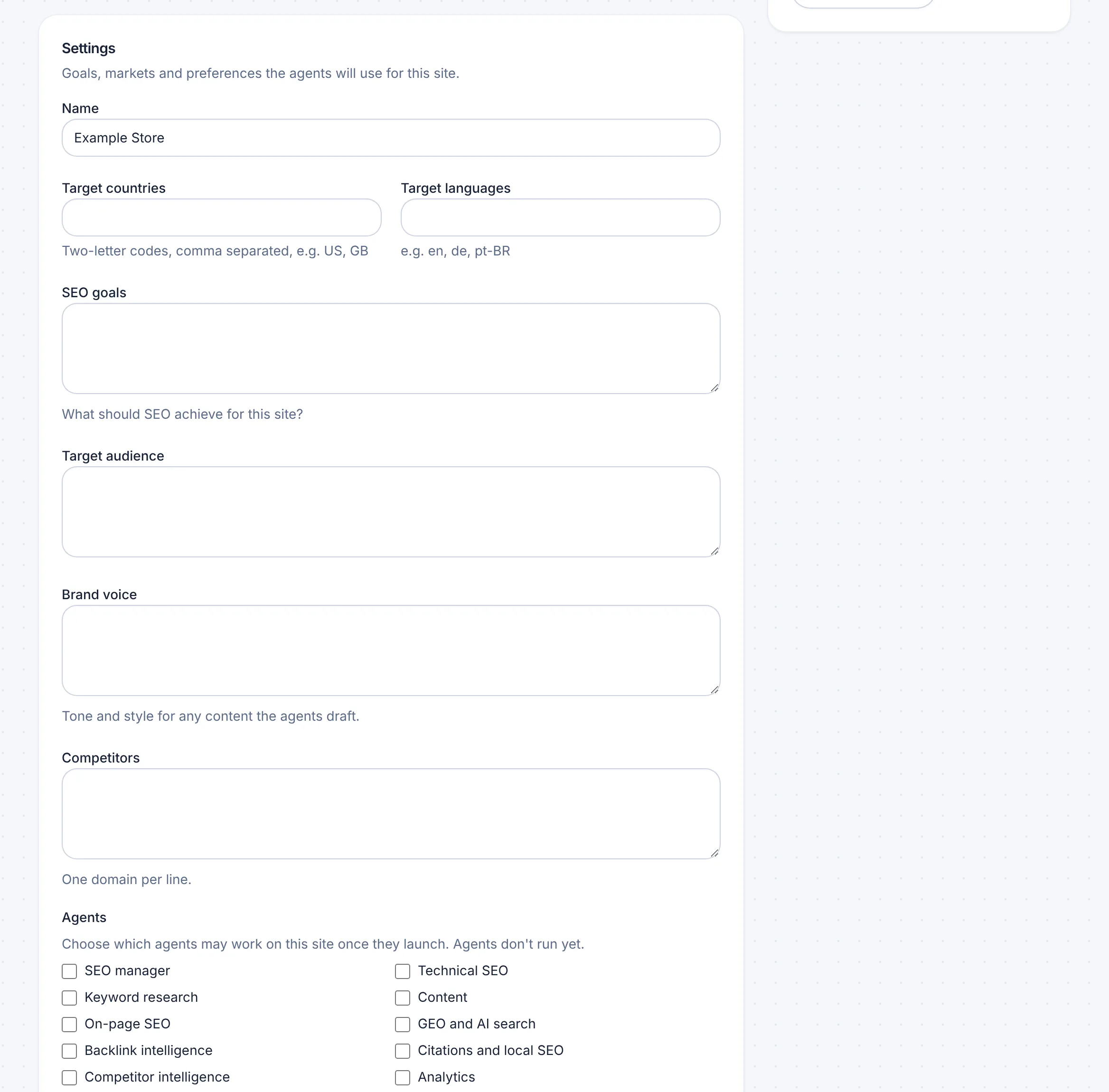
- 1Markets used for keyword data, competitors and rank checks.
- 2Goals, audience and brand voice guide every AI answer and draft.
- 3Competitors you already know.
- 4Brand voice: the tone AI drafts should use.
Screenshot from the Sonnetpilot app (a new workspace, before any data was collected). Open full size
Frequently asked questions
Does Sonnetpilot invent facts about my business?
It is told to use only facts from your settings and your own pages. Outreach emails and drafts use your settings; content drafts also mark claims that need a source with [source needed] and list them under Check before publishing.
What does Require my approval before any change is made do?
It keeps every change waiting for a person. Risky change kinds always need approval regardless of this setting.
Related guides
- Getting started with SonnetpilotSet up Sonnetpilot in about 15 minutes: create an account, add and verify your website, run the first audit and connect your data.
- Create content briefs, AI drafts and on-page fixesPlan pages that can beat Google's current top 10, draft articles in your brand voice, and fix flagged titles, descriptions and H1s.
- Turn a goal into an SEO planWrite a goal and a time frame and Sonnetpilot builds a phased SEO plan from your own audit, search, ranking and backlink data.
Something unclear or out of date? Tell us and we'll fix the guide.