

Run a technical SEO audit
Updated
Quick answer
Open Site Overview and press Run first audit (later, Run audit). Sonnetpilot's crawler reads robots.txt and your sitemap, fetches your pages up to your plan's page limit, and lists every issue with the affected URLs, the evidence it saw and a suggested fix, plus a health score from 0 to 100.
- Where
- Website menu → Start → Site Overview
On this page
How to do it
- 1
Start the audit
On Site Overview press Run first audit. You can follow live progress and cancel it.
- 2
Read the results
Open the audit to see issues grouped by severity (critical, high, medium, low) with evidence, plus the crawled URL table.
- 3
Get an AI fix plan (optional)
Press Generate AI fix plan for an overview and up to 6 prioritized fixes with steps, impact and effort.
- 4
Fix
Go to Technical SEO to prepare one-click fixes or see how to fix the rest.
- 5
Schedule repeats
On Reports, turn on a weekly or monthly recurring audit.
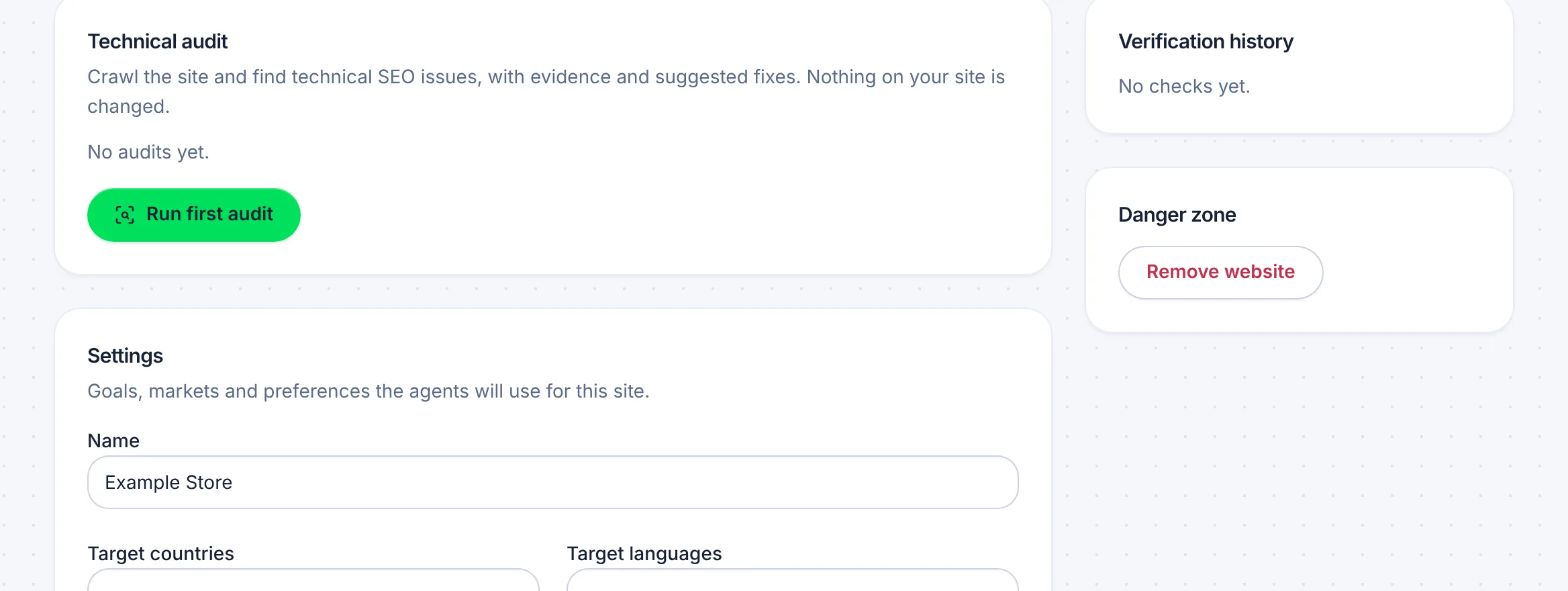
- 1Technical audit card on Site Overview.
- 2Starts a crawl of the site, up to your plan's page limit.
Screenshot from the Sonnetpilot app (a new workspace, before any data was collected). Open full size
What the audit checks
- Crawlability: robots.txt, the XML sitemap and pages blocked by robots.txt.
- Status codes and links: 4xx and 5xx pages, broken internal links, internal links to redirects, and pages buried deep in the site.
- On-page basics: missing, short, long or duplicate titles; missing or duplicate meta descriptions; missing or multiple H1s; skipped heading levels; images without alt text; thin or duplicate content.
- Indexing signals: canonicals pointing to broken or noindex pages, linked noindex pages and invalid hreflang.
- Mobile: the viewport tag.
- Structured data: JSON-LD that can't be parsed, plus missing required and recommended properties for common types such as Product, Article, FAQPage, BreadcrumbList, Event, Recipe, Review, Organization and local business.
The health score
The health score is Sonnetpilot's own calculation, not a Google metric. Each issue type costs points by severity and by the share of pages it affects; the score is 100 minus the total. Site Overview shows its change since the previous audit.
Core Web Vitals
Every completed audit also tests the homepage on mobile and desktop with PageSpeed Insights. You'll see lab results and real-user field data with Google's pass or fail assessment.
Frequently asked questions
How many pages does a Sonnetpilot audit crawl?
Up to your plan's page limit. At the time of writing that is 50 pages on the free trial, 500 on Starter, 2,000 on Growth, 5,000 on Agency and 20,000 on Enterprise. See Pricing for current limits.
Does the audit run JavaScript?
No. The crawler reads the HTML your server sends, like most AI crawlers do. It doesn't run JavaScript, submit forms or log in. Pages whose text only appears after JavaScript runs are flagged as "Content only appears after JavaScript runs", with how to fix it.
What does the AI fix plan cost?
10 AI credits. The AI only receives rule ids, issue titles, counts and up to three example paths per rule, never your page content.
Related guides
- Fix audit issues and find search opportunitiesUse Sonnetpilot's Technical SEO page to prepare one-click fixes for audit findings and act on search opportunities from your own data.
- Technical SEO checklistThe checks Sonnetpilot's technical audit runs, written as a checklist you can also use to review a site by hand.
- About the SonnetpilotBot crawlerHow Sonnetpilot's crawler identifies itself, what it fetches, how it respects robots.txt and how to block it.
- Weekly, monthly and white-label SEO reportsSchedule weekly or monthly SEO report emails, print a before and after PDF, and put your agency's brand on reports.
Something unclear or out of date? Tell us and we'll fix the guide.