

Build workflows that run SEO tasks on a schedule
Updated
Quick answer
A workflow runs steps for you when something happens: after each audit, after the daily Search Console sync, weekly on a chosen day, or when you press Run. Add conditions on your data, list the steps, set an AI credit limit per run, and every run keeps a step-by-step log.
- Where
- Website menu → Autopilot → Automation Pilot → Workflows
On this page
How to do it
- 1
Start from a template or scratch
Templates: Fix metadata after every audit, React to a drop in clicks, Weekly check-up. Or choose Start from scratch.
- 2
Choose the trigger
After each audit, after each daily Search Console sync, weekly on a day, or manual.
- 3
Add conditions
For example at least one critical or high finding, a health score below a value, or clicks down 20% week on week. Missing data never matches.
- 4
List the steps
Run an audit, prepare fixes, prepare new snippets for low click-through pages, wait for approval, email a summary or send the weekly report.
- 5
Set a credit limit and save
Each run stops at the AI credit limit you set.
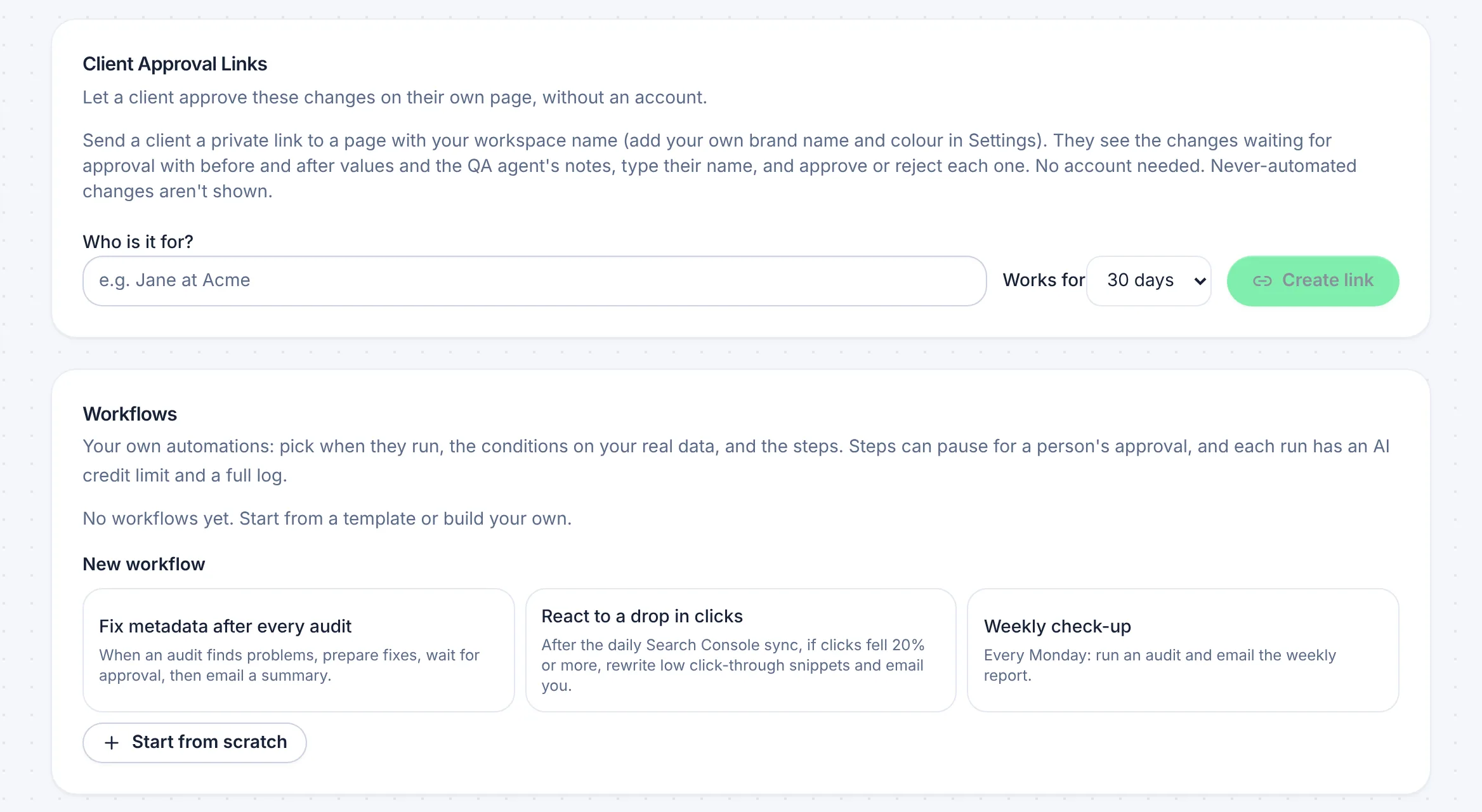
- 1Name the client the approval link is for.
- 2Creates a private link valid for 7, 30 or 90 days.
- 3Workflow templates to start from.
- 4Or build your own trigger, conditions and steps.
Screenshot from the Sonnetpilot app (a new workspace, before any data was collected). Open full size
Prepared fixes still follow the website's mode and risk rules, so a workflow can't change your website by itself. Approval steps pause the run until a person approves or cancels, and are listed in the Approvals inbox. Runs are skipped while the emergency stop is on or automation is paused. Each plan has a workflow limit per workspace.
Frequently asked questions
Can a workflow publish changes without me?
Only within the website's automation mode. In Approval required, prepared fixes wait for you; in Autopilot, only pre-authorized low-risk kinds apply.
How do I see what a workflow did?
Every run keeps a step-by-step log on Automation Pilot.
Related guides
- Automation modes: Suggestions only, Approval required and AutopilotHow Sonnetpilot's three automation modes work, which changes can run on their own, daily limits, pausing and the emergency stop.
- Weekly, monthly and white-label SEO reportsSchedule weekly or monthly SEO report emails, print a before and after PDF, and put your agency's brand on reports.
- Choose your email notificationsPick which emails you get: changes waiting for approval, changes that need attention, summaries of changes that went live, and getting-started tips.
Something unclear or out of date? Tell us and we'll fix the guide.