

Monitor backlinks and find link prospects
Updated
Quick answer
On Backlinks, press Get backlink data to load your referring domains, backlinks, domain rank and spam score from the backlink index. Compare backlinks with a competitor, use Find Link Prospects (broken links, resource pages, unlinked mentions) and send good ones to Outreach, and use Link verification to confirm a page really links to you.
- Where
- Website menu → SEO → Backlinks
How to do it
- 1
Load your profile
Press Get backlink data. You can refresh once every 12 hours.
- 2
Compare
Enter a competitor domain and press Compare backlinks to see sites that link to them but not to you.
- 3
Find prospects
Pick Broken links, Resource pages or Unlinked mentions and press Find prospects.
- 4
Send to Outreach
Add good prospects to Outreach (one per domain, with the page and the reason).
- 5
Verify links
Paste a page that should link to you and press Check link. Tracked links are re-checked weekly.
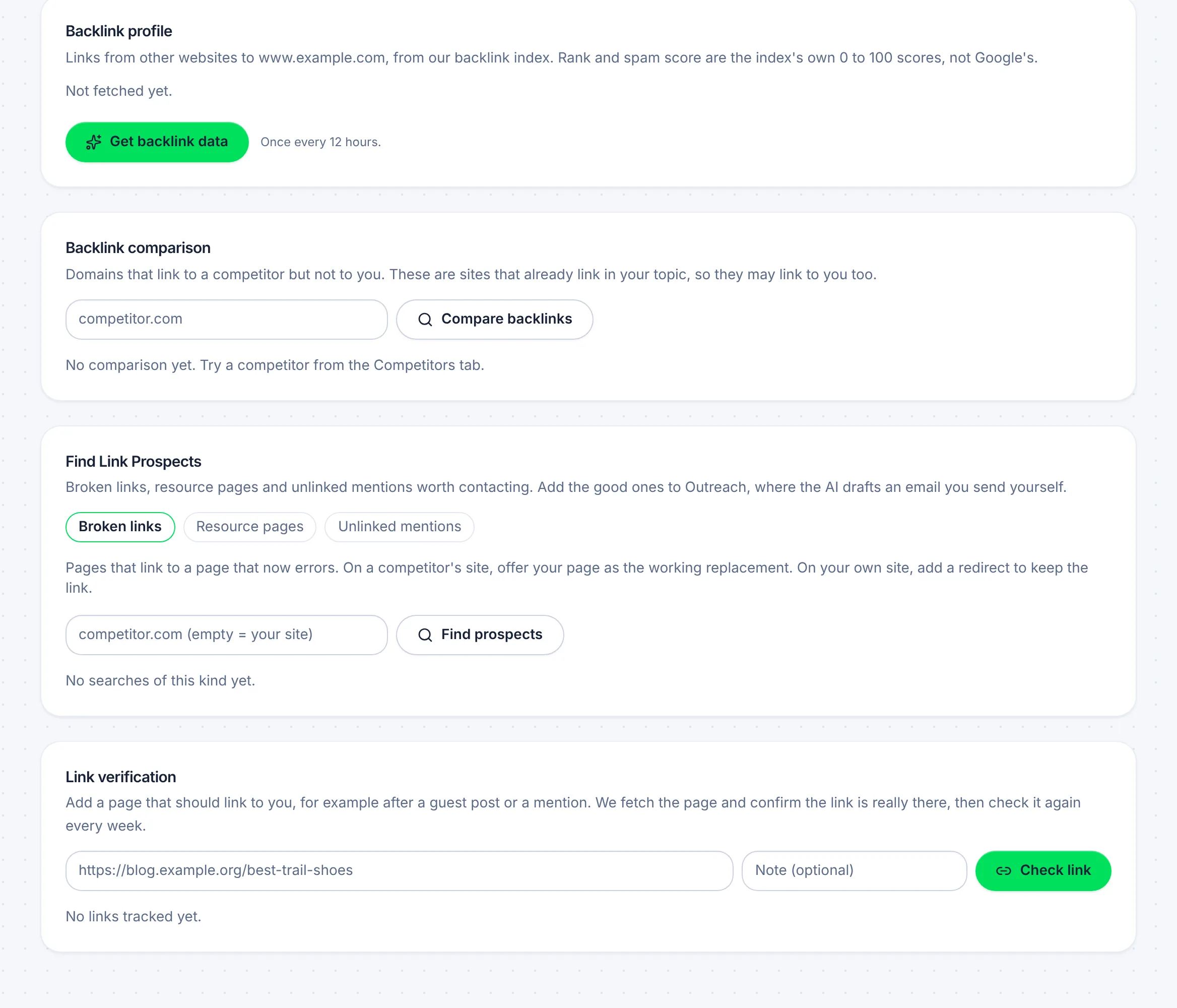
- 1Loads your backlink profile (once every 12 hours).
- 2Sites linking to a competitor but not to you.
- 3Three prospect finders: broken links, resource pages, unlinked mentions.
- 4Runs the finder. Results can be added to Outreach.
- 5Link verification: confirm a page really links to you.
Screenshot from the Sonnetpilot app (a new workspace, before any data was collected). Open full size
The backlink profile
Referring domains, backlinks, domain rank, broken backlinks, nofollow domains and spam score, with change since the previous refresh, plus the top 200 referring domains split into live, new in the last 30 days and lost in the last 30 days. Rank and spam score are the backlink index's own 0 to 100 scores, not Google's.
The three prospect finders
- Broken links: pages linking to a page that now returns an error. On a competitor's domain, offer your page as the working replacement. Leave the field empty to check your own site and fix broken pages with a redirect.
- Resource pages: Google searches for resource and “useful links” pages on your topic, excluding your own site.
- Unlinked mentions: pages that name your brand but don't link to you. Sonnetpilot opens the top 20 results and lists only those where it read the name and found no link.
Each finder and query can run once every 6 hours, with up to 30 finder runs per workspace per day.
Frequently asked questions
Does Sonnetpilot build or buy backlinks?
No. It helps you find legitimate prospects and write personal outreach that you send yourself, then verifies links you win.
How is a link verified?
Sonnetpilot fetches the page, confirms the link to your site is there, records the anchor text and rel attributes (nofollow, ugc, sponsored) and re-checks every tracked link weekly.
Related guides
- Run backlink outreach from SonnetpilotTrack link prospects, draft personal outreach emails with AI, send them from your own email app, follow up and verify won links.
- Find competitors and keyword gapsDiscover which sites compete with you on Google and which keywords they rank for where you don't, then save the best ones.
Something unclear or out of date? Tell us and we'll fix the guide.