

Turn a goal into an SEO plan
Updated
Quick answer
Open SEO Plan, write your goal in plain words, pick a time frame from 4 weeks to 6 months and press Make my plan. Sonnetpilot reads this site's data and returns a phased plan with measured targets, a feasibility note, and tasks that each say why, how much effort, and where in Sonnetpilot to do it. Up next shows the three tasks to do first, phases show their real dates, targets update from your own data and show whether you are on track, and tasks tick themselves off when the data proves they are done.
- Where
- Website menu → Start → SEO Plan
- Cost
- 15 AI credits per plan (refunded if the AI call fails)
On this page
How to do it
- 1
Write your goal
Say what you want and, if you can, who it is for and how you'll know it worked, for example: Get more demo requests from Google search in the next 3 months.
- 2
Or pick an example
Example goals include more clicks, ranking on page one for a keyword, more local customers and showing up in AI answers.
- 3
Pick a time frame
From 4 weeks to 6 months.
- 4
Make the plan
Press Make my plan. It takes up to a minute.
- 5
Start with Up next
Up next lists the three tasks to do first: tasks you started, then the plan's own order. Each has a link to where the work is done and a Mark done button.
- 6
Work the tasks
Under All tasks by phase, tick the round box in front of a task to mark it done, or use the ... menu to mark it as being worked on or skip it. Follow each task's link to the exact issue, keyword or brief, or press Fix with AI on audit tasks. Sonnetpilot also ticks tasks off when the data shows they are done.
- 7
Watch the targets
Targets and progress shows each measured target's start value, today's value and the goal, with On track or Behind. A weekly check-in stores the values so you can see the trend.
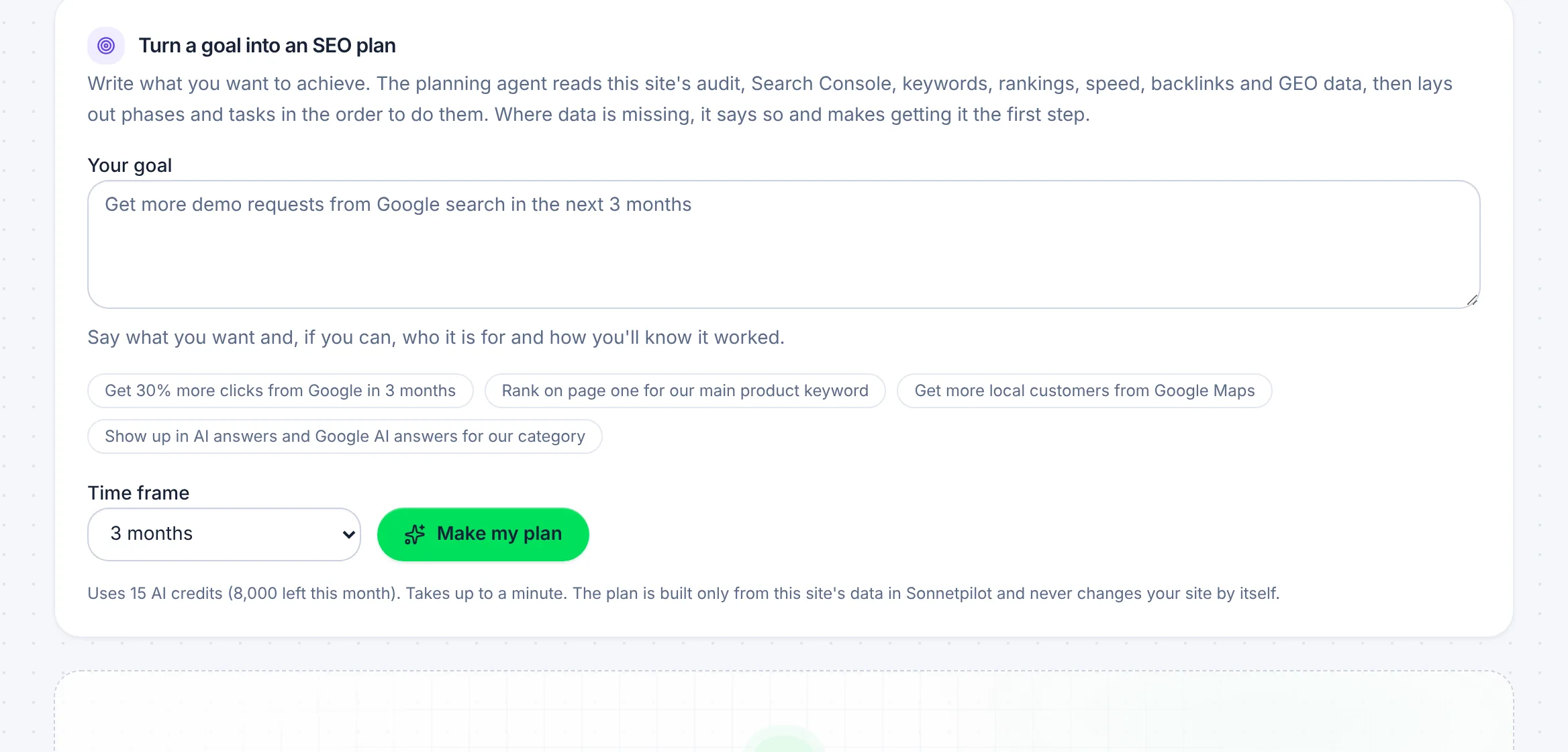
- 1Write your goal in plain words.
- 2Or start from an example goal.
- 34 weeks to 6 months.
- 4Builds a phased plan from this site's data (15 AI credits).
Screenshot from the Sonnetpilot app (a new workspace, before any data was collected). Open full size
What the plan is built from
The audit, Search Console, keywords, rankings, PageSpeed, backlinks and GEO data for this site. Baseline numbers are checked against your stored data; any number the AI gives that isn't in it is removed, and the page says so. Missing data becomes the first task instead of a guess.
What you get
A summary, an honest feasibility note, where you are today, targets, data gaps, assumptions and risks, then 2 to 4 phases of tasks. Each task names the pages, keywords or issues it is based on, its impact and effort, and how you'll know it worked. A plan never changes your site by itself.
Finding your way around a plan
The top of a plan shows tasks done, the phase you are in now and how many measured targets are on track. Each phase shows its real dates (counted from the day the plan was made), how many of its tasks are done, and a Now label on the current phase. Finished phases fold away, and Hide finished hides done and skipped tasks. The starting numbers, missing data, assumptions, risks and sources sit under How this plan was made. To make another plan, press New plan; switch between plans with the Your plans menu.
A task marked Quick win has high impact for low effort.
How targets are tracked
A target linked to a metric (clicks, impressions or click-through rate from Search Console, organic sessions or conversions from Analytics, audit health or open issues, tracked keywords in the top 10, one keyword's position, mobile speed, referring domains or the GEO score) is measured from your stored data. Its start value is read when the plan is made, never taken from the AI. If the data isn't there yet, the first real reading becomes the start.
Progress is compared with a steady line from the start to the goal by the plan's end date. The first two weeks show Too early to tell. A target without a number shows whether it is improving. You can link any target to a metric, change its goal or stop tracking it with Track this automatically. Average Search Console position is not offered, because it is not a ranking.
Tasks that tick themselves off
A task can carry a check that real data can prove: every page with an audit issue fixed and verified live (or a newer audit no longer finding it), Search Console or Analytics data arriving, a new audit, speed check or GEO check finishing, keywords saved or tracked, or backlink data fetched. When the check is true the task is marked Done with the reason and date. It happens once, so if you reopen a task it stays as you set it. Writing an article or getting links has no such check, so you tick those yourself.
Frequently asked questions
Will the SEO plan guarantee results?
No. It includes a feasibility note and the assumptions it makes. It is a prioritized to-do list built from your data, not a promise.
What if I haven't connected Search Console yet?
The plan lists it as a data gap and makes connecting it the first task, rather than guessing your numbers. A clicks target waits for the first Search Console reading and uses it as its start.
Does a plan made before November 2026 get tracking?
Yes. Open the plan and use Track this automatically on any target to link it to a metric and set a goal. Its start value is today's reading.
Related guides
- Ask the AI SEO Manager about your siteChat with an AI SEO manager that answers only from your website's own audit, Search Console, keyword, ranking and speed data.
- Connect Google Search Console, Analytics and PageSpeedImport real clicks, impressions, queries, organic sessions, conversions and Core Web Vitals into Sonnetpilot with read-only Google access.
- Fix audit issues and find search opportunitiesUse Sonnetpilot's Technical SEO page to prepare one-click fixes for audit findings and act on search opportunities from your own data.
Something unclear or out of date? Tell us and we'll fix the guide.