

Create content briefs, AI drafts and on-page fixes
Updated
Quick answer
On Content, enter a keyword and press Create brief: Sonnetpilot reads Google's live top 10 and People also ask questions and plans a page that can beat them. From a brief, write an AI draft in your brand voice, edit it, move it through review and approval, and send it to WordPress as an unpublished draft.
- Where
- Website menu → SEO → Content
- Cost
- Brief 10 AI credits, draft 20 AI credits, on-page fixes 10 AI credits per 8 pages
On this page
How to do it
- 1
Set brand voice and audience
Add them in the website's settings so briefs and drafts sound like you.
- 2
Create a brief
Enter the keyword to write about, country and language, then press Create brief.
- 3
Write a draft
Open the brief and choose Write a draft.
- 4
Edit and review
Edit in Markdown with preview, character and word counts. Move it from Draft to In review to Approved. Every version is kept and can be restored.
- 5
Publish yourself
Copy it into your CMS, or send it to WordPress as an unpublished draft (once).
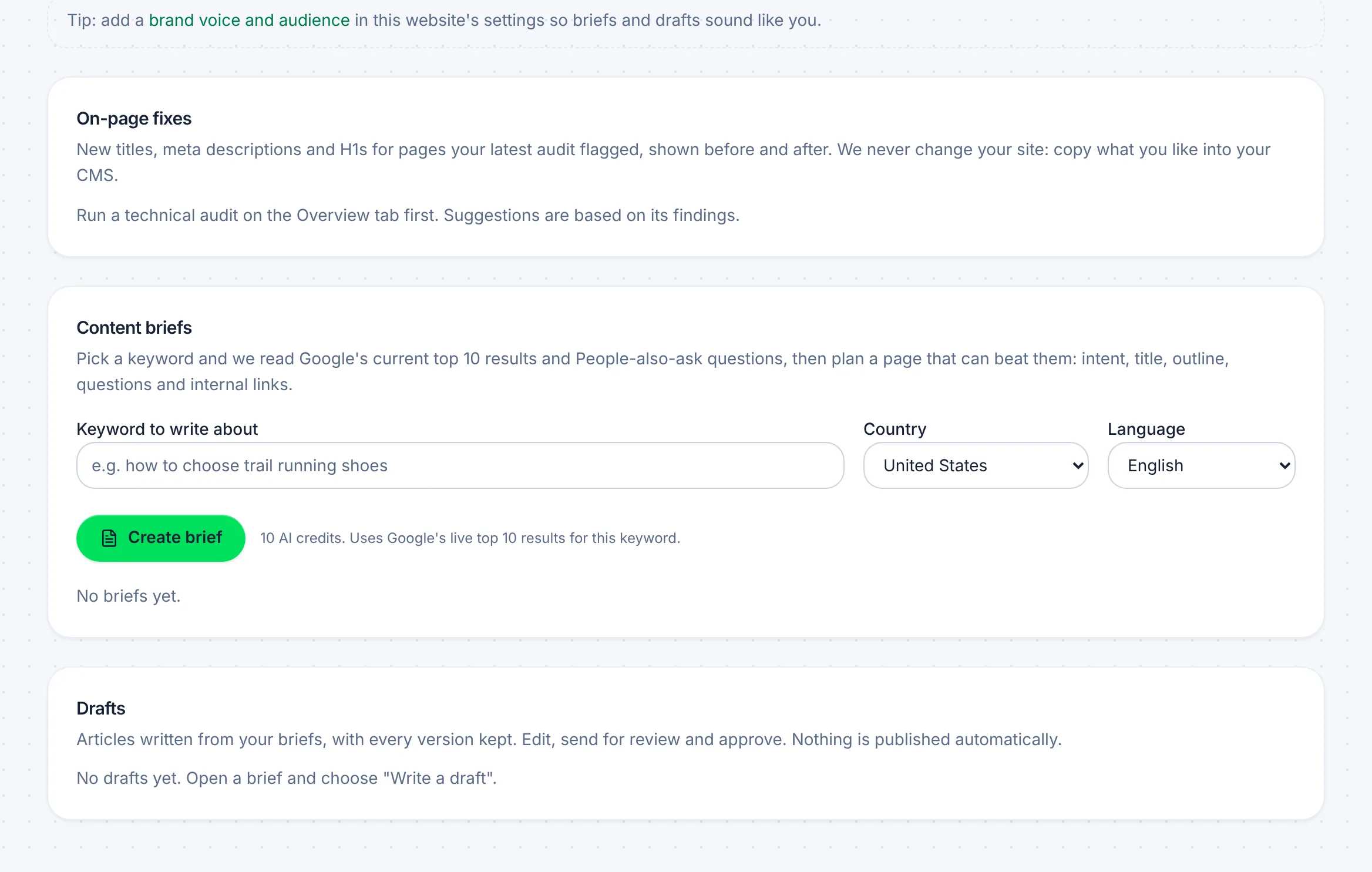
- 1Set brand voice and audience first so drafts sound like you.
- 2On-page fixes for flagged titles, descriptions and H1s.
- 3Keyword for a new content brief.
- 4Reads Google's live top 10 and plans a page that can beat them (10 credits).
Screenshot from the Sonnetpilot app (a new workspace, before any data was collected). Open full size
From keyword to draft
Step 1: Keyword
From your saved keywords or typed in
Step 2: Brief
Live top 10, questions, outline, internal links
Step 3: AI draft
Your brand voice, [source needed] markers
Step 4: Review
Edit, versions, In review → Approved
Step 5: Your CMS
Copy it, or send as a WordPress draft
What a brief contains
Search intent, the angle to take, an SEO title, meta description and H1, an H2/H3 outline with notes, questions to answer, gaps in the current results (judged from their titles and snippets), and internal links to pages from your latest audit. Nothing is charged when Google returns no results.
What a draft contains
A Markdown article with a title and meta description, [source needed] markers where a fact needs a citation, and a Check before publishing list of claims to confirm.
On-page fixes
For pages the latest audit flagged with title, meta description or H1 problems, the AI reads the live page and proposes replacements with before and after, the reason and the audit rule. Copy, mark done or dismiss each one, or prepare them as changes on Automation Pilot.
Frequently asked questions
Does Sonnetpilot publish content automatically?
No. Drafts stay in Sonnetpilot until you approve them, and can only be sent to WordPress as unpublished drafts.
Will AI drafts contain made-up facts?
The draft marks claims that need a source with [source needed] and lists them under Check before publishing. Always check them before you publish.
Related guides
- Research keywords and track Google rankingsFind keyword ideas with volume, difficulty and CPC, group them into topics, track Google positions and use the Page one push checklist.
- Website settings: goals, audience and brand voiceTell Sonnetpilot your markets, SEO goals, audience, brand voice and competitors so audits, plans and AI drafts fit your business.
- Connect WordPressConnect a WordPress site to Sonnetpilot with an application password and the free Sonnetpilot Connector plugin.
Something unclear or out of date? Tell us and we'll fix the guide.