

Measure growth with before and after comparisons
Updated
Quick answer
Growth compares a period with the same number of days just before it, or with your baseline. Pick Last 7, 30 or 90 days or a custom range to see organic search, keyword rankings, technical health, backlinks and (with GA4) conversions and revenue, each with its source, date and whether the data is complete.
- Where
- Website menu → Results → Growth
How to do it
- 1
Open Growth
Choose the website, then Growth under Results.
- 2
Pick a period
Last 7 days, Last 30 days, Last 90 days, or From and To with Custom range.
- 3
Read each section
Organic search, keyword rankings, technical SEO health, backlinks, and organic conversions and revenue.
- 4
Check alerts
Ranking drops, page-one losses, new critical issues and health-score drops are listed under Alerts.
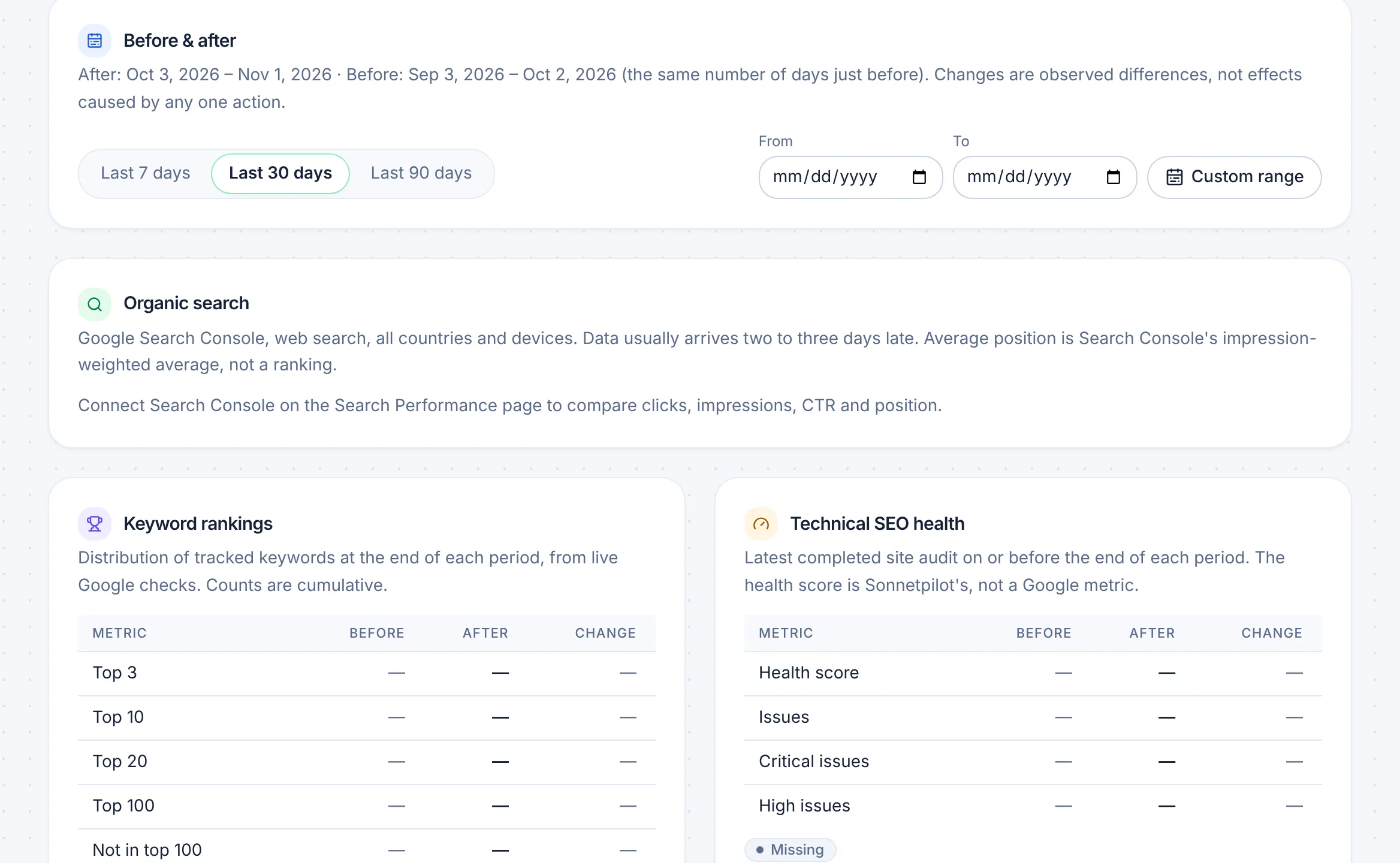
- 1Compare a period with the one just before it, or with your baseline.
- 2Quick periods: 7, 30 or 90 days.
- 3Or pick your own dates.
- 4Each section shows its source, date and data status.
Screenshot from the Sonnetpilot app (a new workspace, before any data was collected). Open full size
How a change is measured
Step 1: Baseline
Frozen snapshot when tracking starts
Step 2: Change goes live
Verified on the live page
Step 3: 7 days
Search Console before vs after
Step 4: 28 days
Longer window, once data is final
Your baseline
When tracking starts, Sonnetpilot records a baseline from the real measurement nearest that date (within 30 days) for technical health, content, Search Console, rankings, backlinks and analytics, then freezes it. Sections without data are marked unavailable.
Data status
Each side of a comparison is marked complete, incomplete, delayed or missing. Days without data are gaps, never zeros, and imported history from before the baseline is labelled.
Alerts
Turn alerts on or off and set the ranking-drop threshold on the Reports page. Alerts are emailed to owners and admins at most once an hour per site.
Frequently asked questions
Why are conversions and revenue not shown?
They need Google Analytics 4. Until it is connected the section says not connected; nothing is estimated in their place.
Why does a section say Missing?
There was no measurement for that side of the period, for example the first audit finished after it, or no keywords are tracked yet. The note explains which.
Related guides
- See the impact of SEO work and the full work historyTrack every change Sonnetpilot proposed or made, and see completed work next to observed clicks with 7 and 28 day before and after numbers.
- Weekly, monthly and white-label SEO reportsSchedule weekly or monthly SEO report emails, print a before and after PDF, and put your agency's brand on reports.
- Connect Google Search Console, Analytics and PageSpeedImport real clicks, impressions, queries, organic sessions, conversions and Core Web Vitals into Sonnetpilot with read-only Google access.
Something unclear or out of date? Tell us and we'll fix the guide.